What Is Design Proofing? A Practical Process for Reviewing Creative
Design proofing is the final QA process for checking copy, layout, brand details, and production readiness before creative is published or printed.
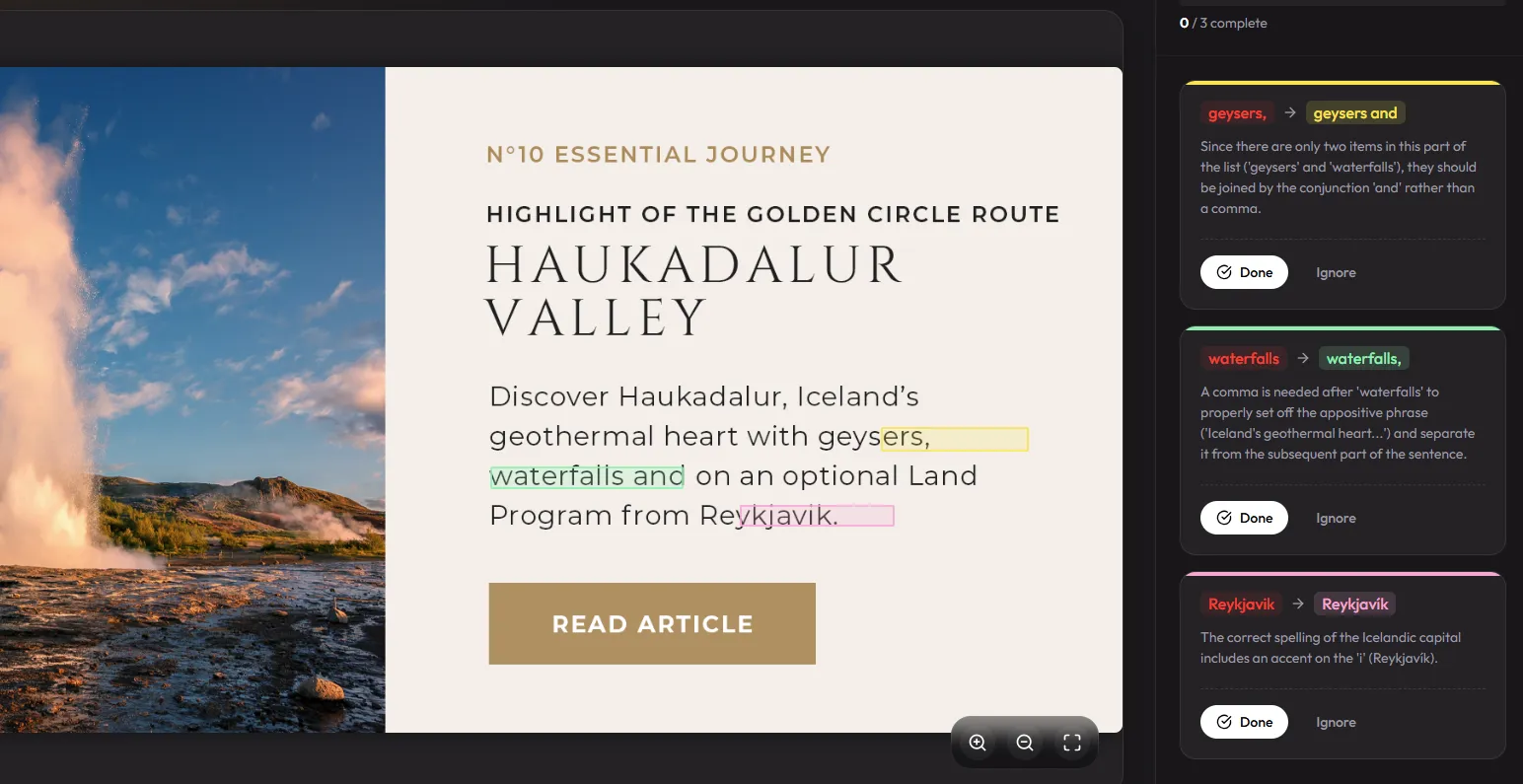
Design proofing is the final quality-assurance process for reviewing creative before it is published, approved, or sent to production. It checks the actual design — not only the source copy — for text accuracy, layout problems, brand consistency, missing assets, and production risks.
The proof can be a social ad, email banner, packaging panel, presentation, infographic, print PDF, or localized campaign export. The goal is simple: confirm that the file your audience will see matches what the team intended and approved.
The short definition
Design proofing combines an automated first pass with human review of the final creative. Software can catch spelling, grammar, repeated words, and visual-copy issues; people verify claims, brand judgment, layout, and production readiness.
Design proofing vs. proofreading vs. approval
These terms overlap, but they describe different responsibilities:
| Process | Primary question | Typical checks |
|---|---|---|
| Copy proofreading | Are the words correct? | Spelling, grammar, punctuation, tone, and factual copy. |
| Design proofing | Is the final creative correct? | Rendered text, layout, hierarchy, brand details, links, and production readiness. |
| Creative approval | Can this version ship? | Stakeholder sign-off, compliance approval, version ownership, and release status. |
Why the final design needs its own proof
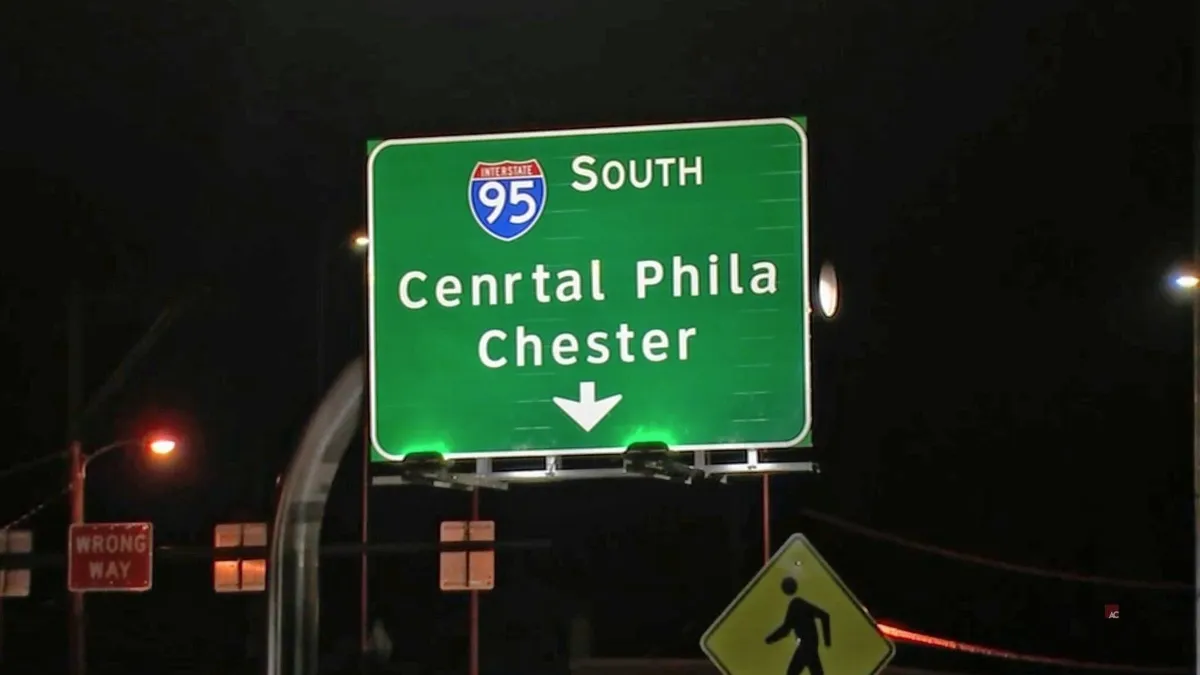
Approved copy can still become incorrect after it enters a design tool. A headline may be retyped, a price changed at the last minute, a text box clipped during export, or an old disclaimer copied into one localized variant. Standard document checkers cannot reliably see words once they are flattened into pixels inside a JPG, PNG, screenshot, or proof image.
That is why the final export must be reviewed after layout and after every material revision. For a text-focused workflow, use the complete 7-step image proofreading checklist.
A practical design proofing workflow
- Choose the exact release candidate. Record the file name, version, locale, dimensions, channel, and owner. Do not proof a working file when a separate export will be published.
- Run an automated text pass. Use an image spell checker on the rendered asset to catch spelling, grammar, punctuation, duplicated words, and awkward copy in context.
- Compare against the source of truth. Check names, prices, dates, promo codes, URLs, claims, and legal language against the approved copy deck or product system.
- Inspect layout and hierarchy. Look for clipped text, unintended wraps, missing glyphs, low contrast, spacing shifts, inconsistent alignment, and content hidden by crops or folds.
- Test functional elements. Open URLs, scan QR codes, redeem promo codes, verify phone numbers, and test any variable or personalized content.
- Review brand and compliance details. Confirm logos, color use, product naming, trademarks, required statements, and market-specific rules with the appropriate owners.
- Resolve comments in one place. Assign each issue, make the change, and mark it resolved against the correct version. A new export gets a new final pass.
- Save the approval record. Keep the reviewed file, corrections, approver, and date together so the team can prove which version was cleared.
What to check in a design proof
- Copy: spelling, grammar, punctuation, repeated or missing words, capitalization, and tone.
- High-risk details: prices, dates, product names, URLs, codes, phone numbers, claims, and disclaimers.
- Layout: line breaks, hierarchy, alignment, clipping, contrast, legibility, safe areas, and responsive crops.
- Brand: approved logo, color, typography, naming, trademark treatment, and campaign consistency.
- Localization: correct language, accents, translated claims, currency, date formats, and text expansion.
- Production: dimensions, file format, resolution, bleed, dielines, color space, linked assets, and final export settings.
Where design proofing is most valuable
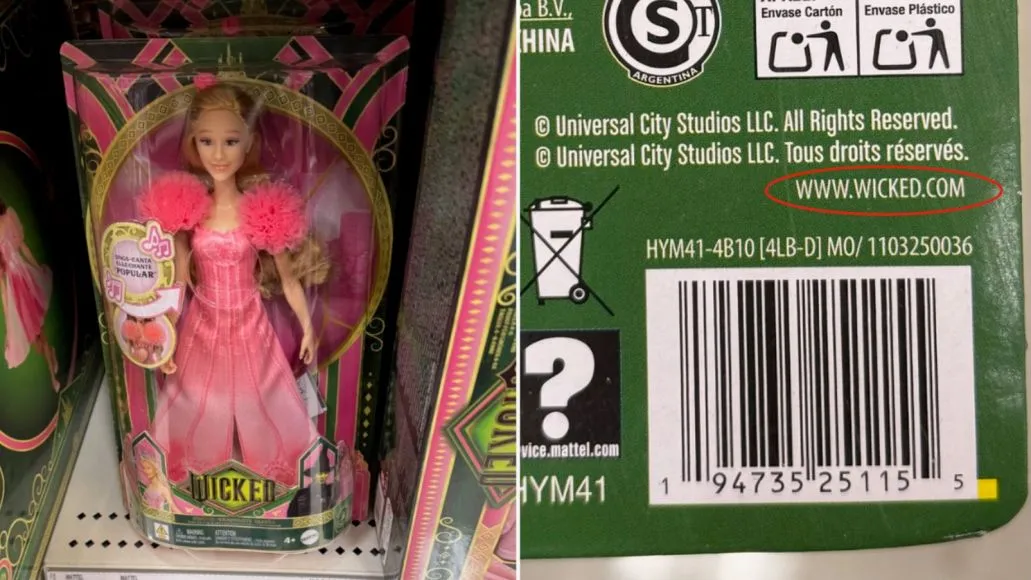
Marketing teams use it for paid ads, social posts, email graphics, landing-page visuals, and campaign variants. Packaging and prepress teams use it to check cartons, labels, claims, barcodes, and print proofs; see the dedicated packaging artwork and prepress checklist. Agencies use it to create a repeatable QA gate before client delivery.
Manual, collaborative, and automated proofing tools
Collaborative review platforms are useful for routing files, collecting comments, and recording approvals. Automated tools solve a different part of the workflow: finding issues before a reviewer has to notice them. Strong teams often use both — automation for the first pass, human judgment for brand and claims, and an approval system for accountability.
Gard focuses on the automated text and visual-copy layer. The desktop app can batch-scan files or monitor export folders, while the web workflow lets a reviewer check a single image immediately. It supports the proofing process; it does not replace legal, regulatory, or final human approval.
Try the automated first pass
Upload a final creative to Gard and review the flagged copy before your team begins the manual approval round.
Proof a design freeDesign proofing FAQ
What does design proofing mean?
Design proofing means checking the final creative for copy, layout, brand, functional, and production errors before it is approved or published.
Who should approve a design proof?
The owner depends on the risk: marketing or creative can approve routine campaign assets, while regulated claims, packaging, legal copy, and production specifications should also be cleared by their responsible specialists.
Can AI automate design proofing?
AI can automate a valuable first pass for spelling, grammar, punctuation, repeated words, and copy in images. Human reviewers still need to confirm meaning, claims, brand judgment, accessibility, and production requirements.
Should you proof the source file or final export?
Both can be useful, but the final export is mandatory. Exporting, resizing, localization, and last-minute edits can introduce problems that were not present in the source copy or working design.
Disclaimer: Gard provides automated design proofing powered by advanced AI. While highly accurate, we advise users to always conduct a final manual review of high-stakes business, medical, or legal graphics before sending to production.