Trusted by teams at





The image copy gap
Your largest email headline may be invisible to spellcheck
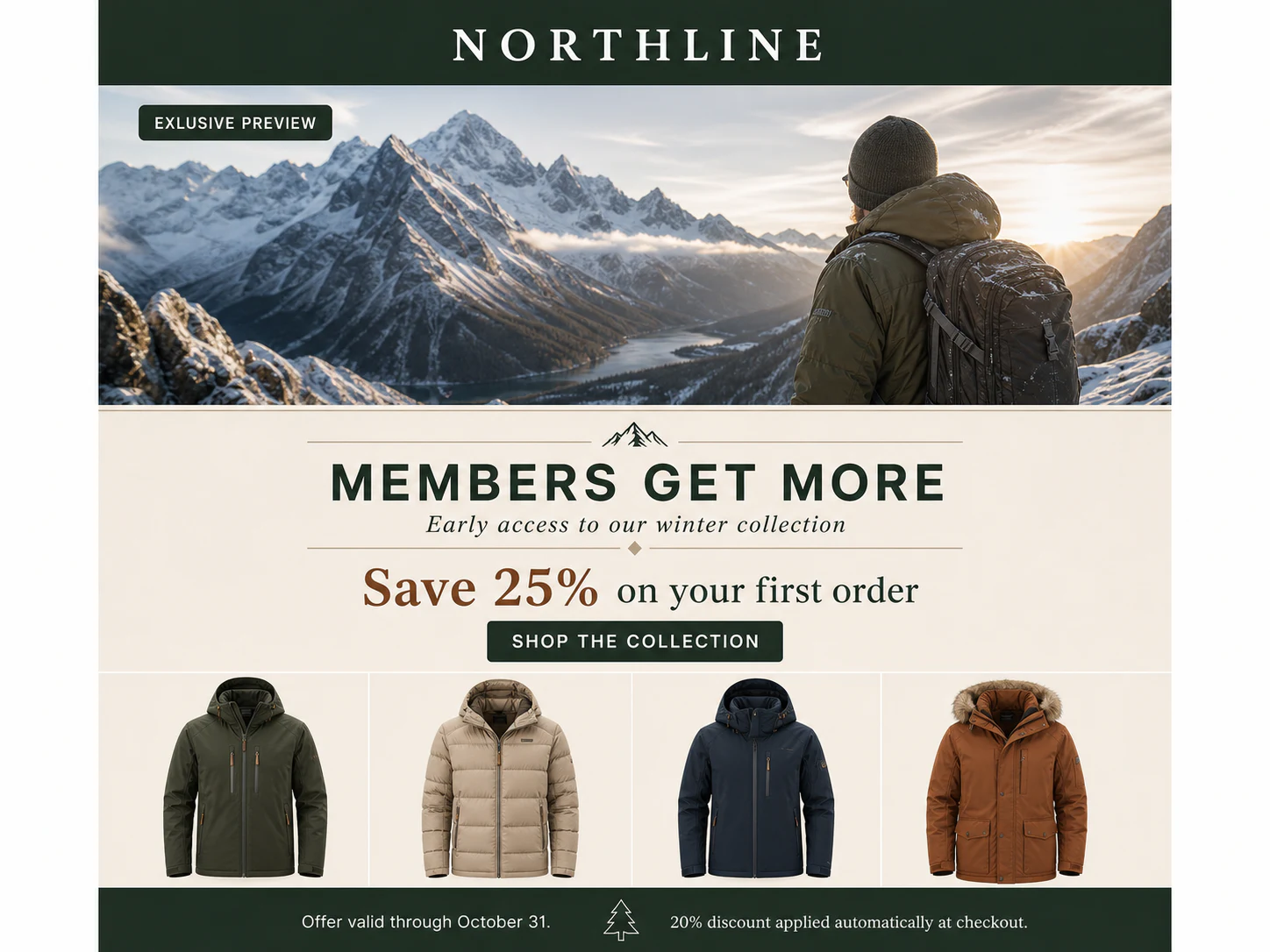
A sale banner can carry the offer, deadline, and CTA in a single image.
An email can pass a review of its subject line and body text while a misspelled offer remains inside the hero image. Newsletter headers, product modules, and image slices often come from a separate design file and need their own copy check.
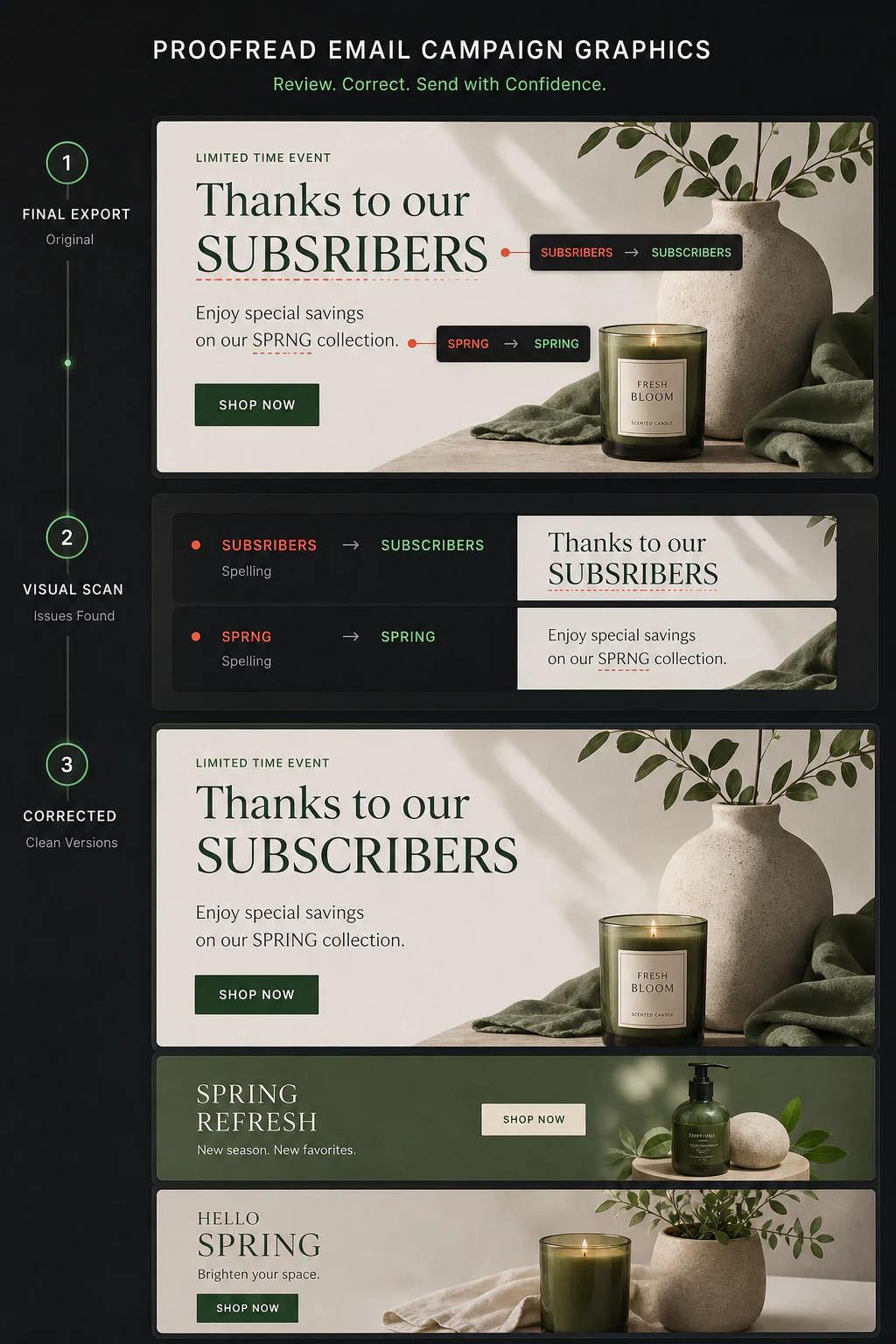
Gard reads those exported graphics and places suggestions beside the relevant words. Review the desktop and mobile banners, then work through the modules intended for each audience segment.
Reused lifecycle graphics deserve attention too. A welcome-series banner or winback image can keep circulating long after its original launch. Include those assets when you refresh the automation’s creative.
Campaign assembly
Proof the image assets before scheduling
- 01
Collect the graphics used in this send
Gather the hero, offer modules, newsletter header, and any CTA or footer images. Include the mobile replacements and segment versions selected for the campaign.
- 02
Scan each banner and image slice
Upload the JPEG, PNG, or WebP assets to Gard as a batch. Scan individual slices at a readable resolution so the small print receives attention alongside the main headline.
- 03
Resolve the copy flags with the campaign owner
Check suggestions on the offer wording, button labels, and supporting text. Compare coupon codes and deadlines with the campaign brief, then correct the affected image in its design source.
- 04
Replace the image in the email builder
Rescan the corrected export, replace the old asset, and send a test email. Confirm that the intended desktop, mobile, and audience-specific images appear before scheduling.
Make graphic review part of campaign assembly, when the team can still replace an asset and check it in a test send.
Banners and modules
Review the message baked into each image
Use Gard’s findings to inspect the passages subscribers will read outside the live email text.
Image copy that needs a proof
- Sale headlines with misspelled seasonal or product names
- Offer lines such as “Your invited to our preview” with the wrong word
- Image-based button labels with a typo in “Redeem your reward”
- Shortened mobile banner copy with a repeated word or incomplete sentence
Example phrases illustrate the review. Verify the actual promotion, dates, and codes against the campaign brief.
Image spell checkerFinish the check inside the email platform
After replacing the images, review the subject line, preheader, links, personalization, alt text, and inbox rendering in your email tools. Gard’s graphic results cover image copy; the test send shows how those assets work in the assembled email.
Complete the pre-send checklistBefore integrating Gard, we didn't have an image-proofing tool. We relied on Grammarly and used minimal image-based content. Now that our templates are more image-driven, Gard has been invaluable.
 Nicole Rodriguez Email Marketing Manager at Regent Seven Seas Cruises
Questions
Email proofing FAQ
Can Gard proofread an image-only email?
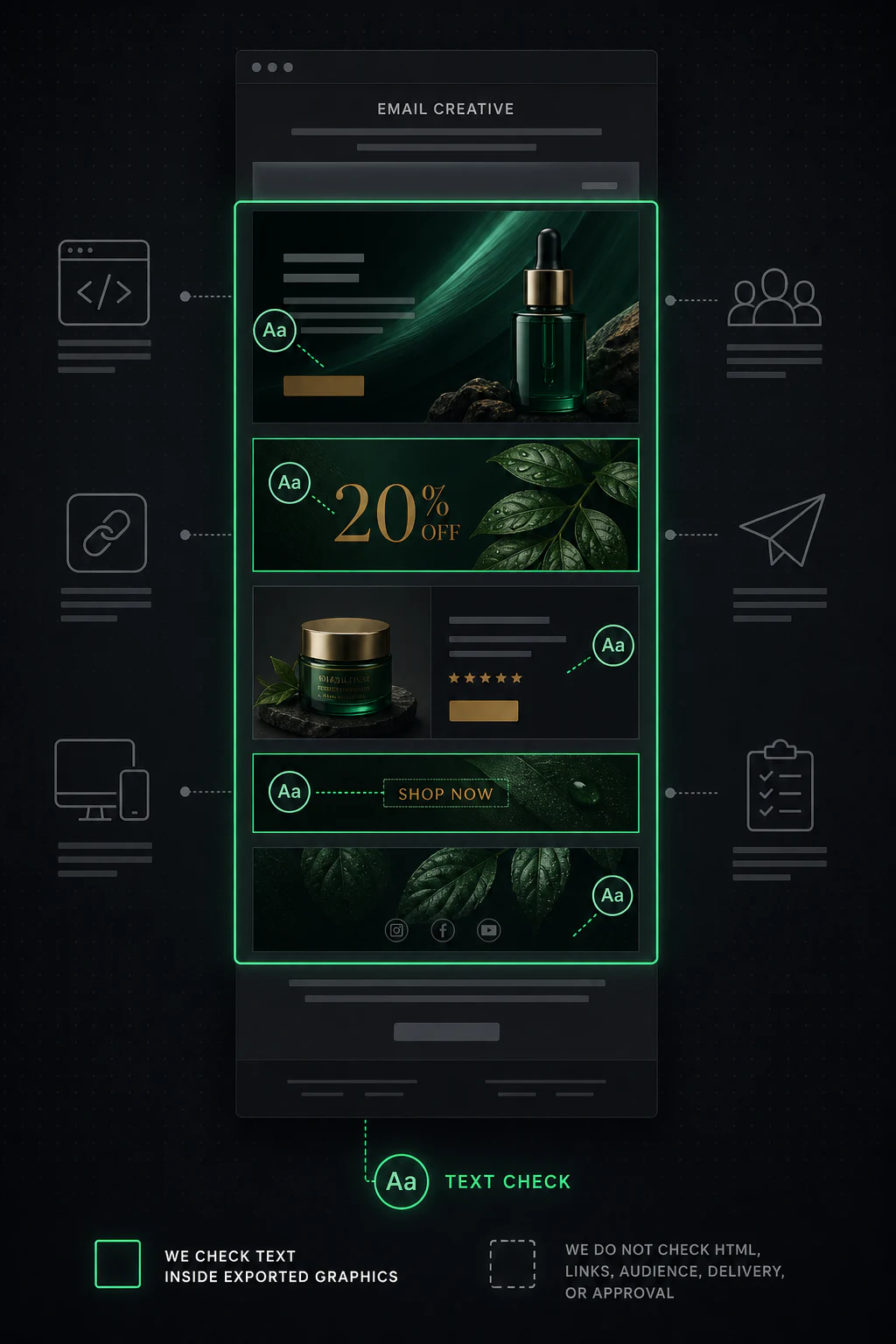
Yes. Upload the banner and image slices as JPEG, PNG, or WebP files. For long designs, use readable exports of each section. Review the slices together in a test email after correcting the copy.
Does Gard check subject lines, links, or HTML?
Gard reads text visible in uploaded images. Check editable subject lines and preheaders in your email editor, and use your email testing workflow for links, HTML behavior, and inbox previews.
Should I scan desktop and mobile email graphics separately?
Yes, if the email uses separate images. Mobile banners often shorten an offer or change a CTA, so they need their own review. Include A/B, segment, and localized graphics used in the same send.
When should we recheck automated email creative?
Recheck welcome, retention, and winback graphics when you change the offer, product range, brand wording, or language. Confirm that the revised assets are installed in the correct automation before it resumes sending.
Before the test send
Check the banners going into your next email
Upload the campaign’s image assets and review their copy before placing them in the send.
Start with 3 free scans each month. No credit card required.
For the complete human and technical review, use the email campaign QA checklist .